
FairPlay App — Free APK That Puts the Bet Slip on Your Home Screen
Download the FairPlay app as a 16 MB APK on any Android phone running 8.0 or newer, allow one unknown-apps permission, and your bet slip sits a single tap from the home screen. On an iPhone you pin the web build from Safari instead. Either way, your FairPlay username, password and balance stay exactly as they are.
FairPlay App Login — Fast Two-Field Sign-In With a Remember Me Tick
Open the installed app and this is the whole screen: two boxes and one tick. The FairPlay username and password you already use on the website go straight in, with no second account to register and no extra password to remember on top of the one you have. That is all.
Remember me on this phone
No username yet? The app cannot create one; a FairPlay ID issued before any APK comes first. 18+ only · INR · one ID per person.
FairPlay APK Download or iPhone Pin — Quick Setup for Both Phones
Two phones, two routes, one FairPlay account. Android gets an actual file that lives on the phone; the iPhone gets a shortcut to the site that behaves like an icon. Pick your column and ignore the other one, because nothing in the Android steps applies to an iPhone and the Safari pin does nothing for a phone that can take the real file.
FairPlay APK on Android 8.0+ — Free 16 MB Sideload Steps
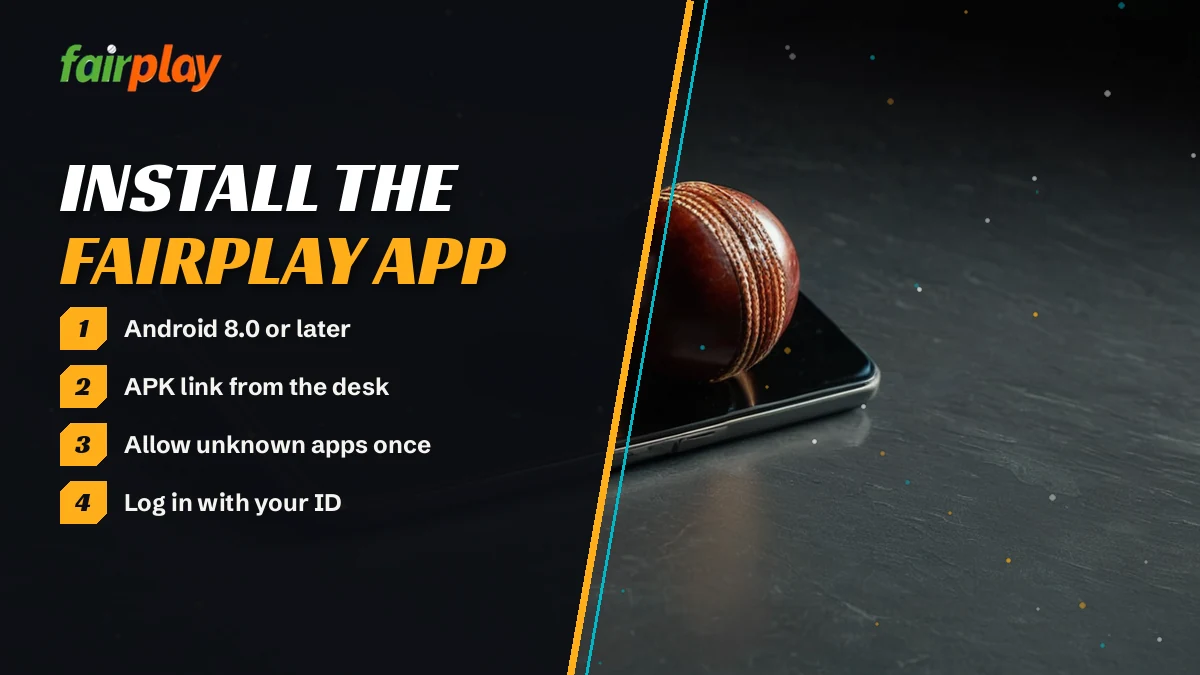
- Message the FairPlay desk on WhatsApp at +91 81097 11726 (text only) and ask for the APK link. A first reply usually lands in about 3 minutes, and on IPL or World Cup match nights it stretches to 7-9 min.
- Open that link in the browser you normally use and let the download finish. The file is roughly 16 MB, so if it completes in half a second, something cut it short.
- The first tap on the file meets a block screen. Its Settings shortcut leads to Install unknown apps; choose the browser that did the download and flip Allow from this source. That is the single toggle the FairPlay APK needs.
- Back on the install prompt, Install is live now. A few seconds later the same spot reads Open, and that tap drops you onto the two-field FairPlay sign-in.
That permission is granted to one app at a time. Allow Chrome, then launch the file from a file manager, and Android simply asks again, this time for the file manager.
FairPlay App for iPhone — Free Safari Shortcut, No App Store Search
No FairPlay build sits in the App Store, so searching there is a dead end. iPhone owners pin the web app instead, and it lands on the home screen next to everything else.
- Paste the FairPlay address from your desk chat into Safari and wait for the page to settle.
- Tap Share.
- Scroll the sheet and tap Add to Home Screen.
- Tap Add. Three taps, finished.
Nothing gets installed here, so there is no permission to grant and no file to update later. The icon opens the same site, with the same login.
One catch. The icon remembers an address, and betting addresses do get blocked in India from time to time. If the pinned page stops loading, ask the desk for the working mirror, remove the old icon and pin the new one the same way; your username, password and balance carry across to every working FairPlay address.
Official FairPlay App Download Source — Why the Play Store Result Is the Wrong One
If your FairPlay password works in Chrome but fails inside something you installed from Google Play, blame the install, not the password. Google Play does not carry the FairPlay betting app. The listings there that use the name belong to unrelated sports and fair-play apps, and none of them has a sign-in that knows your ID. What the desk hands out instead is an APK, sent as a link in the WhatsApp chat.
A composite case from the desk: a player grabs an APK forwarded in a cricket group, it installs without complaint, and the username bounces every time. Nobody could say who built that file or when. The desk link fixed it in one message.
Download sites that repost files are the same gamble with nicer pages. The desk cannot vouch for a copy it did not send, and the line runs 24x7, so the safer file is never more than one message away.
Genuine FairPlay APK Check — Three Real Signs Before You Tap Install
- Where it came from. The link arrived in your chat with the desk number ending 11726, not from a search result or a forwarded group message.
- How heavy it is. Roughly 16 MB once downloaded. A file far smaller than that is either broken or not the FairPlay APK.
- What it opens to. After install, two fields and a Remember me tick, and your existing FairPlay username works in the first field.
Fast FairPlay APK Request — What to Send the Desk So the Link Comes Back Quickly
The quicker the desk understands the message, the quicker the link arrives. Open a chat with the number, save it under a name you will recognise, and put your FairPlay username in the very first line, or, if you have no account yet, the words NEW ID followed by your name (the FairPlay WhatsApp desk number and its queue are explained separately). Then add one more line: that you want the Android APK, and which Android version the phone runs.
Why the the version? Because a phone below 8.0 cannot take the file, and the desk would rather point you to the browser route than send a link that fails. Timing is the other thing. The desk works through new IDs, deposits, withdrawals and password resets before general requests, and an APK link is a general request, so on a big match night ask an hour before the first ball, not during the toss. Silence for 25 minutes is the signal to send URGENT with your username.
Fail any of the three and stop there. Delete the file, message the desk, and ask again; it costs you probably five minutes, which is less than sorting out a password typed into the wrong app.
FairPlay App Login on First Launch — Verified Six-Rung Ladder
The first time the FairPlay app opens, it does not know you. Every rung below happens once; after that, the icon takes you straight to the lobby if you ticked Remember me.
- Tap the icon. The sign-in screen loads with the username box on top and the password box under it.
- Username. Type the one the desk sent you, letters and numbers, exactly as on the website. Capitals do not matter here.
- Password. The box masks each character, so glance at the keyboard for caps before tapping Log In. An ID fresh out of the chat still carries its starter password, and the app swaps it out on the very next screen.
- New password. The rules (length, a number, how many tries before a lock) are set out on the FairPlay login password page; follow those and the screen moves on.
- Remember me. Tick it on a phone that only you use. Leave it clear on a shared one, because the next person who taps the icon lands in your wallet.
- Lobby. Balance at the top, sports and casino below. If the wallet still shows zero on a new ID, the first ₹300 deposit is what switches it on.
Two things trip people at this stage, and neither has anything to do with the APK. The first is a typo in a password that was set on the website months ago; the app checks the same account, so an old password fails here exactly as it would in a browser. The second is repeated guessing. Five wrong attempts lock the account for half an hour on every FairPlay login, app or not, so after the second miss it is faster to ask the desk for a reset than to keep trying.
Background use catches people too. Switch to WhatsApp mid-match, forget about FairPlay for twenty minutes, and the app greets you with Session expired when you come back; that is the account's idle timeout, the same one the website applies, and signing in again picks up exactly where you left off.
One more thing about rung five. Remember me lives on the phone, not on the account. Reinstall the app, and you will be typing the password again, which is how it should be.
FairPlay Application vs Browser — Same Real Balance, Two Ways In
A common question on the desk: is the FairPlay application a seperate account with its own money? No. The app is another door into the same account. Whatever you deposit through the website shows up in the app, a bet placed in the app appears in your browser history, and the password is shared between the two.
| Point | FairPlay app | FairPlay in a browser |
|---|---|---|
| Install | APK of about 16 MB, one permission | None |
| Phones | Android 8.0 or newer; iPhone via Safari pin | Any phone or laptop with Chrome or Safari |
| Sign-in | Username + password, Remember me | Same username + password |
| Balance | One wallet | The same wallet |
| Updates | Reinstall when the app asks | Nothing to do |
| Where the link comes from | The desk on WhatsApp | The working address from the desk |
So which one? If your phone runs Android 7 or older, the choice is made for you: the APK will not install, and FairPlay online through Chrome or Safari does everything the app does. Same if you are on a laptop, or on a phone where you would rather not allow outside installs at all. In practice, if most of your betting happens on an Android phone during an evening match, the app probably earns its spot: the slip is one tap away and the login stays saved.
The account area does not change between them either. Balance, open bets, bet history, the deposit and withdraw buttons and the change-password option all sit under My FairPlay after you sign in, and the app reaches that same screen.
FairPlay APK Not Installing — Quick Fixes Matched to Each Error
Failed FairPlay installs tend to fall into one of five situations, and each has a different fix. Find the one that matches your screen.
- The phone says the app is not compatible, or nothing happens at all
- Check Settings → About phone → Android version. Below 8.0, the FairPlay APK cannot run there, full stop. Use the browser route instead; the account is identical.
- Android keeps refusing even after you allowed unknown apps
- You allowed the wrong app. The toggle belongs to whichever app opens the file, so if you downloaded in Chrome but tapped the file inside Files, it is Files that needs the permission. Allow that one too, or open the file from the browser's own downloads list.
- App not installed, with an older FairPlay already on the phone
- Two FairPlay builds cannot share the phone. Remove the one already there, run the new file again and sign in as normal; the balance was never stored on the handset anyway.
- A parsing error, or the file is far smaller than 16 MB
- The download broke halfway. Delete the file, reconnect to a stable network, and fetch it again from the same desk link.
- It installed, but the login screen looks nothing like two fields and Remember me
- That is a different app with the FairPlay name. Probably from the store. Uninstall it and ask the desk for the real APK before typing any password.
A nearly full phone can also stop the install, and since the FairPlay file is only about 16 MB, freeing a small amount of space is usually enough for the installer to go through on the second attempt. If none of this matches, send the desk a screenshot of the exact message plus your Android version through the FairPlay customer care number on WhatsApp. A screenshot saves a round of back-and-forth questions, and on a match night that probably means getting fixed before the toss rather than after it.
FairPlay App Update — Safe Reinstall When the New Build Prompt Appears
Because the FairPlay APK came from a chat link rather than a store, nothing refreshes it in the background. You hear about a new build from the app itself, as a new version available
notice on screen. Treat that notice as a cue to swap files, not something to tap past.
Hold the icon → Uninstall → open the new desk link → Install → Open → sign in.
Deleting the old APK first matters. Leave it there and Android tends to refuse the new file with the same not-installed error from the section above, which looks like a broken download when it is really a clash between two builds. Your username and password stay the same through all of this; the FairPlay account sits on the operator side, so removing the app removes nothing from your wallet, your open bets or your history.
Expect to to type the password once after a reinstall. Remember me does not survive deletion. If you have forgotten what the password was, that is a password problem, not an app one, and the desk resets it by chat.
iPhone users can skip the reinstall part. A pinned Safari icon always loads the current site, so there is never anything to reinstall. The only thing that can change is the address itself, and the desk tells you if it does.
FairPlay App on a New Phone — Quick Move With the Same Real Balance
Changing handsets is the other time people reinstall, and it is simpler than it sounds. Say your old phone is on Android 7 and the new one runs something recent. Ask the desk for the APK link again, install it on the new phone with the unknown-apps step from the top of this page, and sign in with the username and password you already use. The wallet, the open bets and the history are all there, because none of it was stored on the old handset in the first place.
Then deal with the old phone. Uninstall the FairPlay app if it is going to a family member or being sold; at the very least, clear Remember me so the icon stops opening your account. One FairPlay ID per person still applies, so the new phone does not need, and should not get, a second ID.
FairPlay Download Finished — Best Places to Tap First in the App
Once you are past the sign-in, the FairPlay app holds the same lobby as the website: sportsbook, exchange back and lay, live casino and instant games, all drawing on one wallet (the FairPlay login home page lists what sits on that board right now). A few shortcuts are worth finding on day one.
- Cricket. The reason most people install. Match odds and session lines load in the same slip you see on the site, just a thumb's reach away.
- Aviator. Quick rounds and a low stake floor; the FairPlay Aviator page has the round length, minimum bet and the auto cash-out setting.
- Deposit. The minimum is ₹300, and on a fresh ID that first top-up is what activates the wallet.
- Withdraw. Same button as on the website, same same-name account rule; payout timing lives on the FairPlay withdrawal time page.
There is nothing the app can do that the browser cannot, and the reverse holds too. That is the point of it. You install the FairPlay app for speed of reach, not for extra markets, so if a market or a table is missing in the app, it will be missing on the site as well and the desk is the one to ask.
FairPlay App Download Searches — Trusted Answers Gathered in One Box
Real FairPlay Application Meaning for People Landing on This Install Page
Three phrasings lead here: fairplay app, fairplay application and plain fairplay download. Each one ends at the same place on this page, a 16 MB Android file in the left column or a Safari icon in the right, and both sign in with an ID you already hold.
Official FairPlay APK and FairPlay Download Link Sent Through the Desk Chat
The left column of the install split above is the fairplay apk route: one WhatsApp message, a file near 16 MB, and a single unknown-apps switch for the browser that saved it. No store listing is involved. Any fairplay app download that skips the chat and comes from a store or a forwarded group file is the one to delete.
Secure FairPlay App Login Typed Into the Same Two Fields as the Website
The fairplay app login screen asks for a username and password, plus an optional Remember me tick. Both values match your website login exactly, and the balance you see is the same wallet.
- Android 8.0 or newer is required for the FairPlay APK on this page's install route.
- iPhone owners pin the FairPlay web app with Share, Add to Home Screen, Add.
- A new version available prompt in the FairPlay app means uninstall first, then install the fresh file.
- Install failures on the FairPlay download are matched to five errors in the fix section above.
- fairplay app download
- fairplay apk download android
- fairplay application
- fairplay app login
- fairplay app iphone
- fairplay app kaise download kare
- fair play apk
- fairplay download link
- fairplay app install nahi ho raha
- fairplay app update
FairPlay App Download FAQ — Quick Answers Before You Install
How do I download the FairPlay app?
Ask the FairPlay desk on WhatsApp at +91 81097 11726 for the APK link, open it in your Android browser and let the 16 MB file finish. Allow unknown apps for that browser, tap Install, then sign in with your usual username and password. Replies usually come in about 3 minutes.
Is the FairPlay APK safe to install?
Install only the APK link the desk sends you in chat. Store listings and reposted files using the FairPlay name are other apps or unknown copies. Check that the file is about 16 MB and opens to two fields with Remember me before typing your password into it.
Is there a FairPlay app for iPhone?
Not as a download. iPhone owners add FairPlay to the home screen from Safari: load the working FairPlay address, then tap Share, Add to Home Screen and Add. The icon behaves like an app, keeps the same login and balance, and nothing ever needs installing from the App Store.
Why is the FairPlay app not installing on my phone?
Usually one of three reasons: Android older than 8.0, the unknown-apps permission given to a different app than the one opening the file, or an old FairPlay build still installed. Fix that cause and retry. A file well under 16 MB means the download broke and needs fetching again.
How many MB is the FairPlay app?
The FairPlay APK is roughly 16 MB to download. It needs a phone running Android 8.0 or newer. If your download finishes far below that size, delete it and fetch the link again, because a cut-off file will not install. The iPhone shortcut takes no download at all.
Can I use my FairPlay website login in the app?
Yes, and there is no other kind. The FairPlay app has no register button; it checks your username and password against the same account the website uses, so a deposit made in Chrome already sits in the app wallet. Change the password in one place and it changes in both.
How do I update the FairPlay app?
Wait for the in-app prompt, then remove the installed FairPlay app before touching the new file. Ask the desk for the fresh link, install it and sign in once more, since Remember me does not carry over. Installing on top of the old build is what usually triggers the not-installed error.