
Password desk · open 24x7
FairPlay Login Password — Fast Reset and Fixes for Every Lockout
Reset your FairPlay login password in four chat messages: send the username, receive a temporary code within about 5 minutes, sign in once with it, then save a fresh password of 8+ characters including a digit on the forced screen. Locked out after five misses? The block clears itself after 30 minutes.
Thrown out mid-innings with Session expired on the screen? That is the 20-minute idle timer. Your password is fine and no reset is needed.
Secure FairPlay Login Password Card for Your First Sign-In
This is the screen you meet with a temporary code in hand. Three things to have ready. Nothing else is asked at this point, and nobody from our side will ever request the code you choose here.
Username is not case-sensitive; the password is where capitals bite.
FairPlay Login Problem Decoder: Six Verified Fixes
Read the words on the screen before you retype anything. Almost every FairPlay login problem that reaches our chat fits one of six patterns, and the wording on the sign-in page usually says which one you are in. People skip that step, hammer the password in again, and turn a two-second fix into a 30-minute lock.
| What you see | Likely cause | Fix |
|---|---|---|
| Invalid username or password | You have two or three FairPlay passwords in memory and picked the retired one | Try your best candidate once. If a second candidate also fails, stop at two and request a temporary code. |
| The same message, with a password you know is right | Caps Lock is on, or the keyboard capitalised the first letter for you | Switch Caps Lock off and retype slowly, watching the first character. |
| Sign-in refused after the fifth miss | Five wrong attempts in a row locked the account | Wait 30 minutes. Stop guessing; get a temporary password if you are not sure of yours. |
| Session expired | 20 minutes with no activity on the account | Log in again with the same details. Nothing about the password changed. |
| Temporary password refused | The code was already used, it lapsed, or a pasted space came along with it | Retype it without pasting. Still refused? Message the desk for a fresh one. |
| Page never loads, or loads blank | Wrong address, or an address blocked in India | Ask the desk for the working mirror. Same username, same password there. |
Rows one and two produce identical wording, which is why they confuse people. The FairPlay screen cannot tell you whether you typed an outdated password or the right password with a capital in the wrong place; it just refuses. So check the cheap thing first (Caps Lock), then decide whether the password itself is the problem.
A small shortcut while you check. The FairPlay username is not case-sensitive, so typing it in capitals, lowercase or a mix makes no difference to the sign-in. If the message appears, the username side is almost never the cause unless a letter is missing. Spend your attention on the password field.
One message is not on the list because no password fixes it: Account suspended. On FairPlay that points to a duplicate ID or a chargeback on a deposit, and it needs a conversation with the desk rather than a reset. Write to us with your username and we will tell you what the account shows.
FairPlay Login Password Lockout and the Real 30-Minute Timer
Five wrong tries. That is the whole trigger.
- Tries 1-4each miss is counted
- Try 5the account locks
- Minutes 0-30sign-in refused, whatever you type
- After 30 minone careful attempt
- Idle 20 minSession expired, a separate timer
The part that catches people is that the right password is refused too, for the full half hour. Someone remembers the correct one six minutes into the lock, types it, sees another refusal, and decides that one must be wrong as well. It is not. FairPlay simply stops checking passwords on that account until the 30 minutes have run out.
The lock is a timer, not a judgement on the account. Your FairPlay username, your balance and your history are not touched by it. What you do with those 30 minutes matters more: if you are certain of the password, wait and type it once, carefully, after the timer runs out. If you are not certain, send us your username for a temporary password, so the next attempt uses a code you know is correct instead of another guess.
Guessing straight after the the lock lifts is how people get locked a second time. We see it on busy match nights, roughly in that order: lock, wait, guess, lock again.
Live FairPlay Login Session Timeout After 20 Idle Minutes
A different timer, and easy to confuse with the first. When a FairPlay session sits with no activity for 20 minutes, the next tap shows Session expired and sends you back to sign in. That is the system closing an idle session. It is not a sign of a wrong password, a hacked account or a blocked address.
Log in again with exactly the same username and password and you are back. In practice this hits people who leave the lobby open between innings, or who switch apps for a long phone call; the phone shows the page as it was, but the session behind it has already closed. No reset needed for this one. Asking for a reset here wastes a place in our queue.
Fast FairPlay Login Password Reset by Chat in Four Messages
The FairPlay login password reset runs through chat, not through a link on the sign-in page. Our desk number is +91 81097 11726, text only, and the full contact detail lives on the FairPlay customer care number page, including what to do if a reply is slow.
- Send the username. One line: your FairPlay username and the word reset. No password, no OTP, no screenshot of your bank.
- Wait for the code. A temporary password usually arrives in about 5 minutes. First replies from the desk average around 3 min; on big match nights expect 7-9 minutes before anyone even picks up the chat.
- Sign in with it. Type it by hand on the FairPlay sign-in page. Pasting is where stray spaces sneak in.
- Save a code of your own. Instead of the lobby, the first screen after the temporary code is a change-password form. Your replacement must clear two checks, length and a digit, and the account opens the moment it saves.
That is the full route, four messages long. A typical case, pieced together from several chats: someone types an old password five times during a tight chase, gets locked, and sends us just the username. The temporary code is in the chat a few minutes later, they sit out the rest of the half hour, then sign in once and set a new password on the forced screen. Done.
One practical point on timing. Password resets sit behind new IDs, deposits and withdrawals in our queue, so a reset requested during a packed evening can take longer than the usual five. Sending the username in the first message (not "hi", then waiting for a reply, then the username) cuts out one full round of that wait.
Genuine FairPlay Reset Requests: What Our Desk Never Asks For
A reset from us is built from one input: the username you send. That is the reason it still works when you have forgotten everything else about the account, and also the reason two requests never appear in a genuine FairPlay reset chat, an OTP and your old password. Someone on another number asking for either is not the desk. Ours ends 11726, and the other warning signs sit on the customer care page.
Quick FairPlay Reset Check When the Temporary Code Seems Late
About 5 minutes is the usual gap, not a promise. If the chat has gone quiet for longer, look at the time first: a reset asked for during a big evening match waits behind new IDs, deposits and withdrawals, and first replies alone can run 7-9 minutes on those nights. Then look at what you sent. A message with only "hi" or "password problem" leaves the desk to ask for the username, and that question-and-answer adds a full round to the wait. If a really long silence follows, the FairPlay WhatsApp desk page has the one escalation step we use, with the exact word to send.
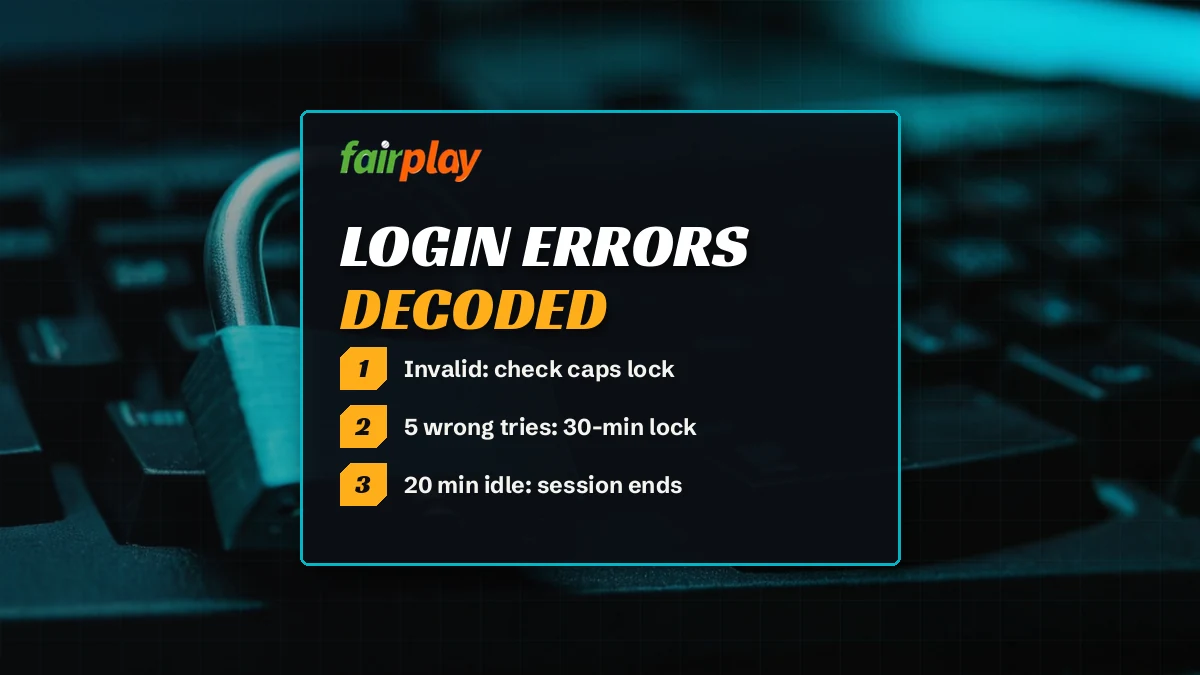
Safe FairPlay Login Password Rules for the Code You Keep
The rules are short. Two of them, both checked the moment you save.
- 8+ characters
- 1 number, minimum
- 1st login forces the change
- 5 misses, then a lock
- 30 min lock
- 20 min idle limit
A FairPlay password needs at least 8 characters and at least one number. Anything shorter, or anything made only of letters, gets rejected on the change screen. The temporary code from our desk passes those rules, but it is not meant to be kept: FairPlay makes you swap it for your own on the very first login, before the lobby opens. Usernames work differently. They are 6-12 characters and not case-sensitive, which the FairPlay ID page explains along with how a username is issued.
Do
- Read the new password back once before saving it; a typo you cannot see becomes a reset you did not plan.
- Write the new FairPlay password somewhere offline the day you set it.
- Clear an old saved password from the browser after a reset, or it will keep filling the field with the outdated one.
- Mix in more than one number if you can. Eight characters is the floor, not the target.
Do not
- Reuse the temporary code from the chat as your permanent password.
- Use your mobile number or username as the password.
- Send the new password to anyone, including us. We do not need it, ever.
- Keep guessing on a fourth miss. Stop and check, because the fifth one locks.
The fourth "do" is a suggestion, not a FairPlay rule; the system only checks the two rules above. Hard to say how many people stop at exactly eight characters, but the ones who come back for a second reset within a week usually did.
FairPlay Login Update: Official Change Screen and App Prompt
"FairPlay login update" means one of two things, depending on where you saw it. Both are normal. Neither one means the account is in trouble.
Official FairPlay Login Update After a Temporary Password
The first is the forced change-password screen. You sign in with a temporary password from our desk, or with the starting password a brand-new FairPlay ID comes with, and instead of the lobby you get a screen asking for a new password. That is the update. Fill it in using the rules above, save, and the lobby opens. If you close the screen without saving, the temporary code stays the only valid password, so the same screen will meet you next time.
Already inside and simply want a a different password, no reset involved? The change-password option sits in the account area after login, the part people call My FairPlay, next to balance and bet history. You need the current password to do it there, which is exactly why a forgotten password goes through the desk instead.
What if the change screen refuses the new password you typed? There are only two checks behind it, so the reason is short. Either the password is under 8 characters, or it has no number in it. A phrase like sunriseover fails on the number; tea4two fails on length, at seven characters. Fix whichever one applies and save again. The temporary code still works until a new password is accepted, so a refused attempt here does not throw you back to the desk.
Fast FairPlay App Update Without Losing Your Login
The second meaning comes from the Android app. When the app shows its update prompt, delete the old APK and install the fresh one; the username and password stay exactly as they were, and nothing needs resetting afterwards. Where the APK comes from and what the phone needs is on the FairPlay app page. If the updated app refuses a password that works in the browser, send the desk a message rather than asking for a reset, because the password is clearly fine.
FairPlay Login Problem on a Blocked Address: Reliable Mirror Check
Sometimes the password is not the problem at all, because the page never gets far enough to ask for it. Betting addresses get blocked in India from time to time, and a blocked FairPlay address simply does not load, or loads a blank shell with no sign-in form. No reset will fix that.
The answer is a working mirror. The same FairPlay username, the same password and the same balance work on any working FairPlay address, so moving address does not mean a new account or a new password. In our 7 Oct 2026 check from an Indian server, fairplay.pro gave no response at all (details on the FairPlay Pro address page), while fairplay.red answered with an app shell; the FairPlay Red address page records what that check found. Both of those can change within days.
Here is how it usually shows up. A bookmark that opened the FairPlay sign-in page last week now spins, or opens a page with no username field. The password you are carrying is still valid. Requesting a reset at that moment changes a password that was never the problem, and you still have nowhere to type the new one. Ask for the address first; ask for a reset only if the working mirror then refuses your password.
So before you type a password on an address you found yourself, ask the desk which mirror is working that day. We confirm it in the chat. It takes one message, and it keeps your FairPlay login password away from pages nobody has checked.
Quick FairPlay Login Password Notes Before You Message Us
Secure FairPlay login password: what the first sign-in asks for
Your FairPlay login password has to be 8 or more characters with at least one number, and the first sign-in on a temporary code will not let you past until you set one. Five wrong entries lock the account for 30 minutes; 20 idle minutes end the session.
Fast FairPlay login password reset: the one line our desk needs
The number behind every FairPlay login password reset ends 11726: in full, +91 81097 11726, WhatsApp text, voice calls not picked up. Save it once under a name you will recognise, and your next reset is a single message carrying the username.Verified FairPlay login problem order we check, cheapest first
- Caps Lock or an auto-capital, when a FairPlay login problem shows Invalid username or password.
- An old saved password filling the field after a reset.
- The 30-minute lock after the fifth miss, or Session expired after 20 idle minutes.
- The address itself, when the page never loads; the desk names the working mirror.
Official FairPlay login update prompts on this page explained
A FairPlay login update is either the forced change-password screen after a temporary code, or the app prompt that means delete the old APK and install the new one. In both cases the username stays the same.
- fairplay login password
- fairplay password reset
- fairplay login problem
- fairplay login update
- fairplay password bhool gaya
- fairplay account locked
- fairplay temp password
- fairplay password change kaise kare
- fairplay session expired
- fairplay login nahi ho raha
FairPlay Login Password Questions With Trusted Answers
Forgot the FairPlay password: what exactly do I send the desk?
Only your FairPlay username, followed by reset, in a text to +91 81097 11726. Skip the OTP, the old password and any screenshot of the error screen; none of it is asked for. A temporary code normally comes back inside 5 minutes, sometimes sooner late at night when fewer people are queued.
Why is my FairPlay account locked?
Your FairPlay account locks after five wrong password attempts in a row. It is a timed lock, not a suspension, and it lifts on its own. Wait it out, or message the desk with your username for a temporary password so your next attempt is a known code rather than another guess.
How long does a FairPlay login lock last?
Thirty minutes, counted from the fifth wrong password in a row. During that half hour FairPlay refuses every attempt, correct or not, so extra typing only adds frustration. Once the time is up, make one careful attempt with a password you are sure of, or with a temporary code the desk sent you.
How do I change my FairPlay password myself?
From inside the account. After signing in, go to My FairPlay, where balance and bet history also sit, and pick the change password option. The form wants your present password plus the replacement, which must be 8 or more characters including a digit. Forgotten the present one? Then the desk reset is the route.
What are the FairPlay password rules?
A FairPlay password needs at least 8 characters and at least one number. The change screen rejects anything shorter or made only of letters. The temporary code sent by the desk is only for the first sign-in, and FairPlay makes you replace it before the lobby opens.
My FairPlay temporary password is not working. What now?
Type the temporary password by hand instead of pasting it, because a copied space breaks it, and check that Caps Lock is off. If it still fails, the code may already be used or expired. Message the desk with your FairPlay username and a fresh temporary password will be sent.
Why does FairPlay say session expired?
FairPlay closes a session after 20 minutes without activity, and the next tap shows Session expired. Your password has not changed and nothing needs resetting. Log in again with the same username and password to carry on from the lobby.
More from the FairPlay login desk